Artificial Intelligence has gone from being a futuristic concept to a practical business tool. Whether you’re running a startup, managing a growing company, or leading an enterprise, AI is helping businesses work faster, make smarter decisions, and eliminate repetitive tasks that consume valuable time.
But here’s where many businesses get it wrong.
They start by asking:
“How can we use AI?”
Instead, the better question is:
“Which business processes are slowing us down today?”
AI delivers the most value when it’s used to solve real operational problems—not when it’s implemented simply because it’s trending.
At BwLogics, we’ve seen businesses invest in multiple software platforms while still relying on spreadsheets, manual approvals, endless email chains, and repetitive administrative work. These inefficiencies don’t just waste time they increase operating costs, delay decision-making, and make it harder for teams to scale.
The good news? Many of these processes can be streamlined with AI.
In this guide, we’ll walk through ten business processes that are ideal candidates for AI automation, explain how AI improves each one, and highlight common mistakes to avoid before implementation.
Why Businesses Are Investing in AI Automation
Business automation isn’t new.
Companies have been using automation tools for years to send invoices, schedule emails, and generate reports.
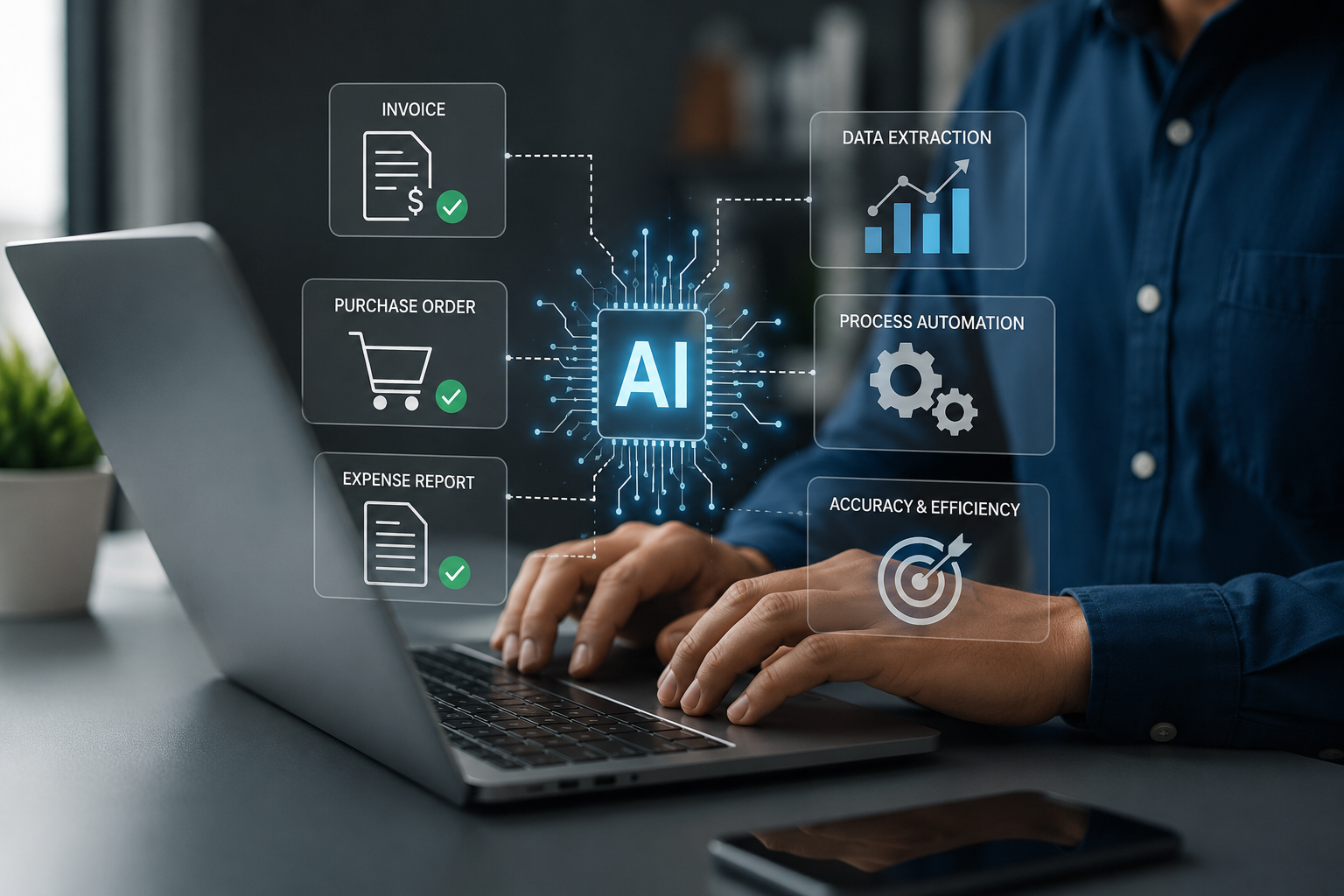
The difference today is that AI can understand context, recognise patterns, and support decision-making, rather than simply following predefined rules.
For example:
- Traditional automation can send an invoice automatically.
- AI can review the invoice, identify missing information, detect unusual patterns, categorise expenses, and even recommend the next action.
That’s a significant shift.
According to IBM’s Global AI Adoption Index, the primary reasons businesses are adopting AI include improving operational efficiency, reducing repetitive work, enhancing customer experiences, and helping employees become more productive. IBM Global AI Adoption Index
Similarly, McKinsey’s State of AI report found that organisations are expanding AI across multiple business functions including customer service, web apps development, marketing, operations, and supply chain management to improve performance and streamline workflows. McKinsey – The State of AI
The takeaway is simple:
Businesses aren’t investing in AI to replace people.
They’re investing in AI to remove repetitive work so employees can focus on work that actually creates value.
If you’re still wondering whether AI is worth the investment, the answer depends less on your industry and more on how much time your team spends doing repetitive, manual work.
Before You Automate Anything
One of the biggest mistakes businesses make is trying to automate everything at once.
Successful AI adoption starts small.
Before investing in AI, ask yourself:
- Which tasks are repeated every day?
- Which processes rely heavily on manual data entry?
- Where do mistakes happen most often?
- Which workflows slow your team down?
- What activities prevent employees from focusing on higher-value work?
These questions help identify where AI can deliver the fastest return on investment.
Rather than replacing existing systems, AI often works best when integrated into the tools your team already uses.
For businesses planning larger digital transformation initiatives, investing in custom web Application development can create a much stronger foundation for long-term automation than relying on disconnected third-party tools. Learn more about BwLogics’ Custom Web Application & AI Solutions.
1. Customer Support
Customer support is often the first department businesses think about when discussing AI—and for good reason.
Support teams spend a significant portion of their day answering repetitive questions:
- Where is my order?
- How do I reset my password?
- What are your business hours?
- How can I update my account?
- How do I book an appointment?
These questions don’t always require human expertise.
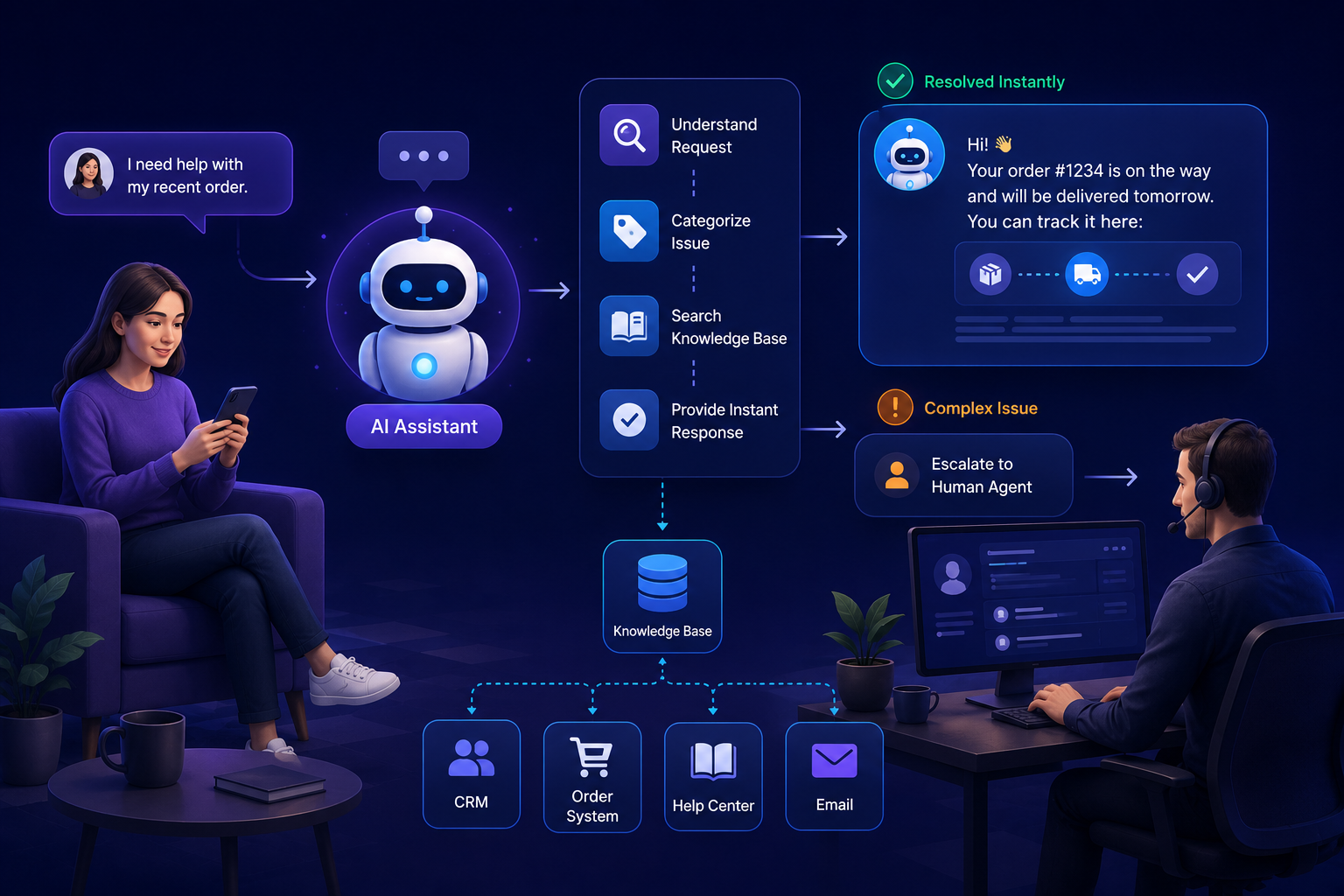
An AI-powered support assistant can instantly answer common queries, collect customer information, suggest relevant knowledge base articles, and route more complex issues to the appropriate team member.
The result isn’t fewer customer interactions.
It’s faster responses, reduced waiting times, and more time for support teams to focus on conversations that genuinely require human problem-solving.
Where AI Works Best
- Live chat
- Ticket categorisation
- Customer self-service
- Knowledge base search
- Appointment scheduling
- Multilingual support
- Email triaging
Practical Example
Imagine an ecommerce business receiving hundreds of order status requests every day.
Instead of requiring support agents to manually check every shipment, an AI assistant can retrieve tracking information, answer the customer’s question instantly, and only involve a human if there’s an unexpected delivery issue.
That simple automation can significantly reduce support workload while improving customer satisfaction.
Common Mistake
Many businesses try to replace their entire support team with AI.
That’s rarely the right approach.
The best customer experiences combine AI with human support. AI handles repetitive requests, while people manage complex issues that require empathy, judgement, or negotiation.
If your business relies on multiple internal systems, integrating AI into a custom web application can provide a much smoother experience than using separate standalone tools. Explore BwLogics Web Application Development services to see how connected platforms simplify customer operations.
2. Sales & Lead Qualification
Sales teams often spend more time organizing information than actually selling.
Leads arrive from websites, social media, emails, referrals, advertising campaigns, and networking events.
Someone then has to:
- Review every enquiry
- Score the lead
- Enter details into the CRM
- Assign it to the right salesperson
- Schedule follow-ups
- Send introductory emails
These manual steps create delays, especially as businesses grow.
AI can automate much of this process.
Instead of simply collecting enquiries, AI can analyze lead quality, identify buying intent, prioritize high-value opportunities, draft personalized follow-up emails, recommend the next action, and notify the appropriate sales representative automatically.
Sales teams spend less time on administration and more time speaking with qualified prospects.
AI Can Help With
- Lead scoring
- CRM updates
- Email personalization
- Meeting scheduling
- Opportunity prioritization
- Proposal generation
- Sales forecasting
Practical Example
A construction company receives enquiries from residential homeowners, commercial developers, and architects.
Rather than manually reviewing every submission, an AI workflow can categorize each enquiry, identify project size, estimate urgency, and automatically assign it to the appropriate business development manager.
High-value commercial projects receive immediate attention, while smaller enquiries continue through a separate sales workflow.
The result is faster response times and better resource allocation.
3. Marketing & Content Operations
Marketing has become more data-driven than ever before. Businesses are expected to publish consistent content, personalize customer experiences, analyze campaign performance, manage multiple channels, and respond quickly to changing market conditions.
The problem?
Most marketing teams spend far too much time on repetitive administrative work instead of strategy and creativity.
Think about the average week:
- Exporting reports
- Updating spreadsheets
- Scheduling social media posts
- Segmenting email lists
- Researching keywords
- Writing campaign briefs
- Analyzing website traffic
None of these tasks are particularly difficult—but together they consume hours every week.
AI helps marketing teams automate these repetitive workflows while improving decision-making.
Where AI Works Best
- Campaign reporting
- Customer segmentation
- Content ideation
- SEO research
- Email personalization
- Marketing analytics
- Lead nurturing
- Performance forecasting
For example, instead of manually creating weekly performance reports, AI can automatically gather data from Google Analytics, advertising platforms, and CRM systems to produce a single dashboard highlighting campaign performance, conversion trends, and opportunities for improvement.
That means marketers spend less time compiling reports and more time improving campaigns.
Practical Example
A growing ecommerce business runs Google Ads, Meta Ads, LinkedIn campaigns, and email marketing.
Rather than checking four separate platforms every morning, an AI-powered reporting dashboard summarizes the previous day’s performance, identifies unusual changes, and highlights campaigns that need attention.
Instead of searching for problems, marketers immediately know where to focus.
Common Mistake
Many businesses assume AI can replace marketers.
It can’t.
AI accelerates research, reporting, and repetitive tasks—but successful campaigns still require creative strategy, audience understanding, and human decision-making.
4. Human Resources & Recruitment
Recruitment is one of the most time-consuming processes in any organization.
HR teams often receive hundreds of applications for a single position. Reviewing CVs, scheduling interviews, responding to candidates, and tracking progress can quickly become overwhelming.
AI can simplify much of this process without removing the human element.
AI Can Help With
- Resume screening
- Candidate matching
- Interview scheduling
- Employee onboarding
- HR knowledge assistants
- Leave management
- Policy search
- Internal employee support
Imagine receiving 500 applications for a developer role.
Instead of manually reviewing every resume, AI can compare each application against predefined job requirements, highlight the strongest candidates, identify relevant technical skills, and prepare a shortlist for the HR team.
The hiring manager still makes the final decision—but the time spent reviewing applications is significantly reduced.
Practical Example
A company hiring across multiple departments uses AI to answer common employee questions about leave policies, benefits, expense claims, and onboarding documentation.
Employees receive instant answers without waiting for HR, allowing the HR team to focus on recruitment, employee development, and organizational planning.
Common Mistake
AI should support fair recruitment, not make hiring decisions independently.
Human oversight remains essential to ensure ethical hiring practices and minimize bias.
5. Finance & Accounting
Finance departments deal with thousands of repetitive transactions every month.
Invoices, purchase orders, expense claims, payment approvals, reconciliation, and financial reporting all require accuracy and consistency.
Even small manual errors can lead to delayed payments, compliance issues, or reporting inaccuracies.
AI helps finance teams reduce repetitive work while improving data accuracy.
AI Can Automate
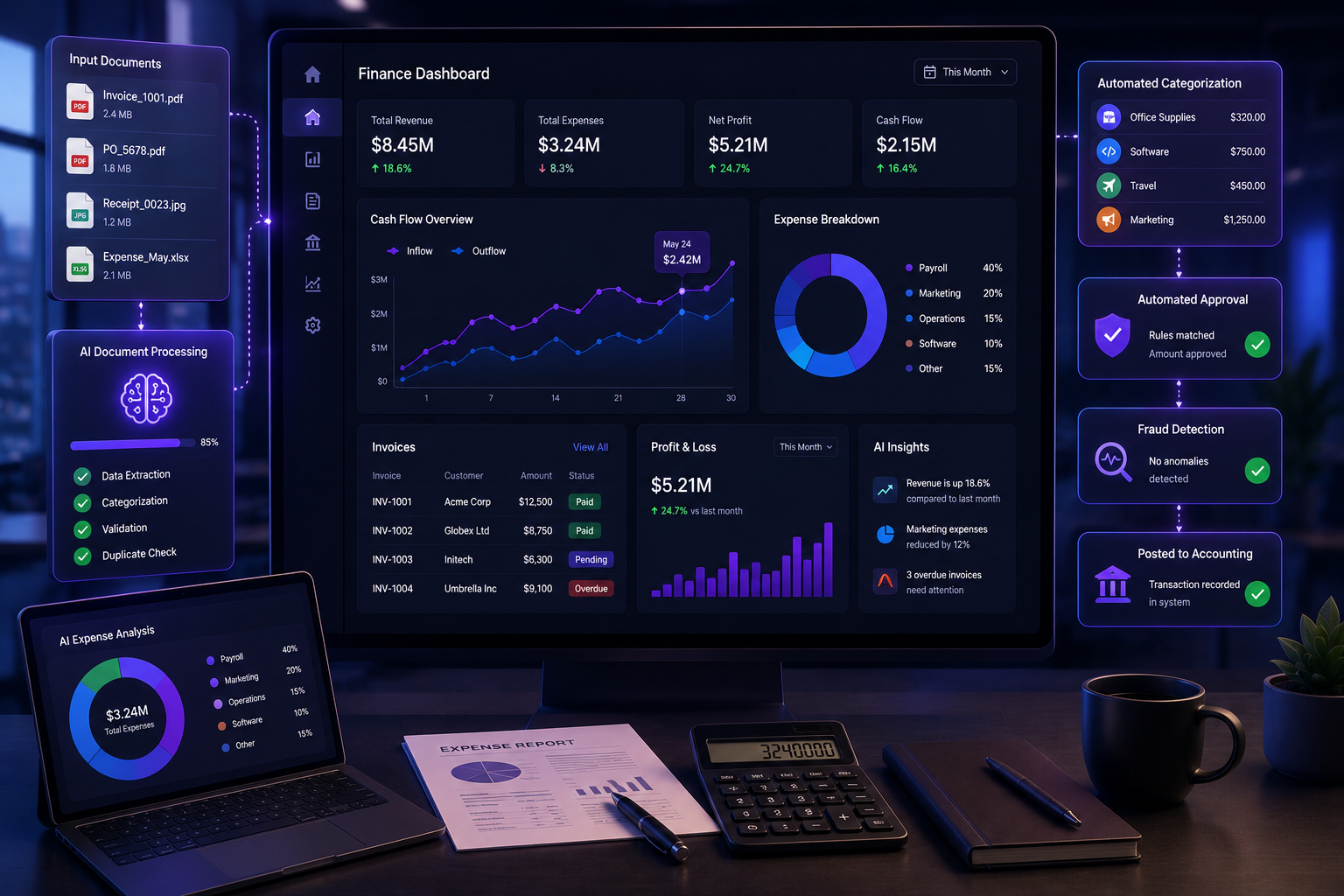
- Invoice processing
- Expense categorization
- Financial reconciliation
- Fraud detection
- Budget forecasting
- Cash flow analysis
- Accounts payable
- Accounts receivable
Practical Example
Instead of manually entering supplier invoices into accounting software, AI can extract invoice details, validate information against purchase orders, identify missing fields, and prepare transactions for approval.
Finance teams review exceptions rather than processing every document manually.
Business Benefits
- Faster invoice processing
- Reduced human error
- Improved financial visibility
- Better forecasting
- Lower administrative costs
According to IBM, organizations continue adopting AI to improve operational efficiency and streamline business processes across departments, including finance. IBM Global AI Adoption Index
Common Mistake
Businesses often automate financial processes without reviewing existing workflows first.
Automating an inefficient process simply makes the inefficiency happen faster.
Always optimize the workflow before introducing AI.
6. Inventory & Supply Chain Management
Inventory management becomes increasingly difficult as businesses grow.
Ordering too much stock ties up cash.
Ordering too little leads to missed sales.
Managing inventory manually often results in inaccurate forecasts, delayed purchasing decisions, and excess inventory sitting in warehouses.
AI improves inventory management by analyzing historical sales, seasonal trends, supplier performance, and customer demand.
AI Can Improve
- Demand forecasting
- Stock optimization
- Purchase recommendations
- Warehouse planning
- Supplier performance monitoring
- Delivery forecasting
- Inventory alerts
Practical Example
A wholesale distributor manages thousands of products across multiple warehouses.
Instead of relying on fixed reorder levels, AI continuously analyses sales patterns and supplier lead times to recommend when products should be reordered.
This reduces stock shortages while avoiding unnecessary over-ordering.
Industries That Benefit Most
- Ecommerce
- Manufacturing
- Automotive
- Healthcare
- Construction
- Retail
Businesses operating in these industries often require software that connects inventory, purchasing, sales, and reporting into one platform. That’s why many organizations move beyond standalone software and invest in integrated business applications tailored to their workflows. Learn how BwLogics develops scalable digital solutions across multiple industries: Industries We Serve
Traditional Automation vs AI Automation
| Traditional Automation | AI Automation |
|---|---|
| Rule-based workflows | Context-aware decision making |
| Static processes | Continuously improves with better data |
| Manual exception handling | Intelligent recommendations |
| Limited flexibility | Learns from patterns |
| Simple task execution | Supports operational decisions |
One important point is often overlooked.
AI doesn’t replace business processes.
It improves them.
Businesses that see the strongest results rarely automate everything overnight. Instead, they identify repetitive workflows, implement AI in one department, measure results, and expand gradually.
That measured approach reduces risk while delivering faster returns on investment.
7. Project Management & Team Collaboration
Every growing business eventually reaches a point where project management becomes more complicated than a shared spreadsheet or a collection of email threads.
As projects become larger, teams expand, and deadlines become tighter, keeping everyone aligned requires more than just task lists. Managers need visibility into project progress, resource allocation, potential risks, and team capacity.
This is where AI can make project management significantly more efficient.
Instead of simply displaying tasks, AI can identify delays before they become major issues, predict project completion dates based on historical performance, recommend resource allocation, and automatically generate project summaries for stakeholders.
Where AI Delivers the Most Value
- Task prioritisation
- Resource planning
- Project forecasting
- Risk identification
- Meeting summaries
- Progress reporting
- Automated reminders
- Team workload balancing
Practical Example
Imagine a software development company managing five different client projects simultaneously.
Rather than manually reviewing each project’s progress every morning, an AI-powered dashboard highlights overdue tasks, identifies developers with excessive workloads, predicts delivery risks, and recommends where additional resources may be needed.
Project managers spend less time collecting information and more time solving problems.
Common Mistake
Many businesses expect AI to manage projects independently.
It can’t.
Successful project management still depends on leadership, communication, and decision-making. AI should provide insights not replace project managers.
Businesses developing internal project management systems often achieve better long-term flexibility through custom web applications designed specifically around their workflows rather than forcing their teams to adapt to generic software.
Explore how BwLogics builds scalable Web Application Development solutions for growing businesses.
8. Document Processing & Data Entry
Few business processes consume more time than handling documents manually.
Invoices.
Contracts.
Purchase orders.
Medical records.
Insurance forms.
Employee applications.
Shipping documents.
Many organisations still rely on employees to open documents, copy information into multiple systems, verify details, and manually process paperwork.
Not only is this time-consuming, but it’s also highly prone to human error.
AI-powered document processing changes this completely.
Modern AI systems can extract information from scanned documents, classify files, validate data, identify missing information, and route documents to the correct department—all within seconds.
Common AI Applications
- Invoice processing
- Contract analysis
- Document classification
- OCR (Optical Character Recognition)
- Medical documentation
- Insurance claims
- Legal document review
- Purchase order processing
Practical Example
A logistics company receives hundreds of delivery documents every day.
Instead of manually entering shipment information into multiple systems, AI extracts relevant data from each document, validates delivery details, flags discrepancies, and automatically updates the company’s ERP platform.
The operations team only reviews exceptions instead of processing every document manually.
Business Benefits
- Reduced manual entry
- Faster document processing
- Improved compliance
- Better data accuracy
- Lower operational costs
According to Microsoft, AI-powered document intelligence helps organizations automate document-heavy workflows while reducing manual processing time and improving operational efficiency.
Common Mistake
Businesses often underestimate the importance of clean data.
AI performs best when documents follow consistent structures and business rules.
Poor data quality leads to poor automation results.
9. Business Reporting & Decision Making
Every business generates data.
Sales reports.
Customer analytics.
Marketing performance.
Financial statements.
Inventory levels.
Employee performance.
The challenge isn’t collecting data.
The challenge is turning that data into decisions.
Many managers spend hours every week exporting reports, combining spreadsheets, and creating presentations before they can actually analyse business performance.
AI dramatically reduces this workload.
Instead of manually building reports, AI can continuously monitor business data, identify unusual trends, generate executive summaries, and recommend areas that require attention.
AI Can Support
- Executive dashboards
- KPI monitoring
- Revenue forecasting
- Customer behaviour analysis
- Operational reporting
- Predictive analytics
- Business recommendations
Practical Example
A retail business notices a sudden decline in online conversions.
Rather than waiting for the weekly marketing meeting, AI identifies the trend immediately, compares it against historical data, highlights affected product categories, and recommends investigating checkout performance.
Decision-makers receive actionable insights while there’s still time to respond.
Why This Matters
Business leaders don’t need more reports.
They need better answers.
That’s exactly where AI provides the greatest value.
Rather than replacing business intelligence teams, AI enables them to focus on strategy instead of repetitive reporting.
Companies looking to centralise reporting across CRM, ERP, finance, and operations often benefit from a unified business platform rather than disconnected software.
Discover how BwLogics develops integrated business solutions tailored to your organisation.
AI vs Traditional Reporting
| Traditional Reporting | AI-Powered Reporting |
|---|---|
| Manual report creation | Automated dashboards |
| Weekly or monthly updates | Real-time monitoring |
| Reactive decisions | Predictive insights |
| Static spreadsheets | Interactive intelligence |
| Time-consuming analysis | Automated recommendations |
One of the biggest advantages of AI isn’t simply creating reports faster.
It’s helping decision-makers identify opportunities and risks before they become expensive problems.
10. Scheduling & Daily Operations
Scheduling may seem like a simple administrative task, but for many businesses it’s one of the biggest hidden productivity drains.
Appointments, employee shifts, client meetings, equipment bookings, project timelines, and resource allocation all require constant adjustments. As businesses grow, managing these schedules manually becomes increasingly difficult.
AI helps remove much of this complexity.
Instead of simply displaying a calendar, AI can analyse availability, identify scheduling conflicts, optimise resource allocation, and even recommend the best meeting times based on historical behaviour.
Where AI Can Help
- Appointment scheduling
- Employee shift planning
- Meeting coordination
- Equipment bookings
- Resource allocation
- Field service scheduling
- Delivery planning
- Calendar management
Practical Example
A healthcare provider manages hundreds of patient appointments every week.
When a cancellation occurs, an AI scheduling assistant automatically identifies patients on the waiting list, checks doctor availability, and offers the appointment to the most suitable patient.
The clinic fills more appointments while administrative staff spend less time on phone calls and rescheduling.
Similarly, construction companies can use AI to optimise project schedules by considering weather forecasts, workforce availability, equipment utilisation, and supplier lead times.
The result is fewer delays and better resource management.
Is Your Business Ready for AI Automation?
Not every process should be automated immediately.
The businesses that achieve the best results usually begin with one department, prove the value, and then expand gradually.
Your business is likely ready for AI if you regularly experience any of the following:
- Employees spend hours on repetitive administrative work.
- Customer enquiries follow the same patterns every day.
- Data is manually entered into multiple systems.
- Reports require significant manual effort.
- Teams rely heavily on spreadsheets.
- Departments use disconnected software platforms.
- Decision-making is slowed by limited visibility.
- Business growth is creating operational bottlenecks.
If several of these sound familiar, AI automation could deliver measurable improvements in productivity and efficiency.
Common AI Implementation Mistakes
AI has enormous potential, but success depends on strategy,not just technology.
Here are some of the most common mistakes businesses make.
Trying to Automate Everything at Once
AI works best when introduced gradually.
Start with one repetitive process, measure the results, and expand from there.
Ignoring Existing Workflows
If a workflow is already inefficient, automating it will simply make the inefficiency happen faster.
Optimise the process first.
Then automate it.
Choosing Technology Before Defining the Problem
Businesses often purchase AI tools before identifying what they’re trying to solve.
Instead, start by asking:
- What task consumes the most time?
- Where do errors occur most frequently?
- Which process creates the biggest bottleneck?
Once the problem is clear, choosing the right technology becomes much easier.
Expecting AI to Replace People
This is one of the biggest misconceptions surrounding AI.
Successful organisations use AI to support employees,not replace them.
The most valuable outcomes come from combining AI’s speed with human expertise, creativity, and decision-making.
Working with Disconnected Systems
One of the biggest reasons AI projects fail is poor integration.
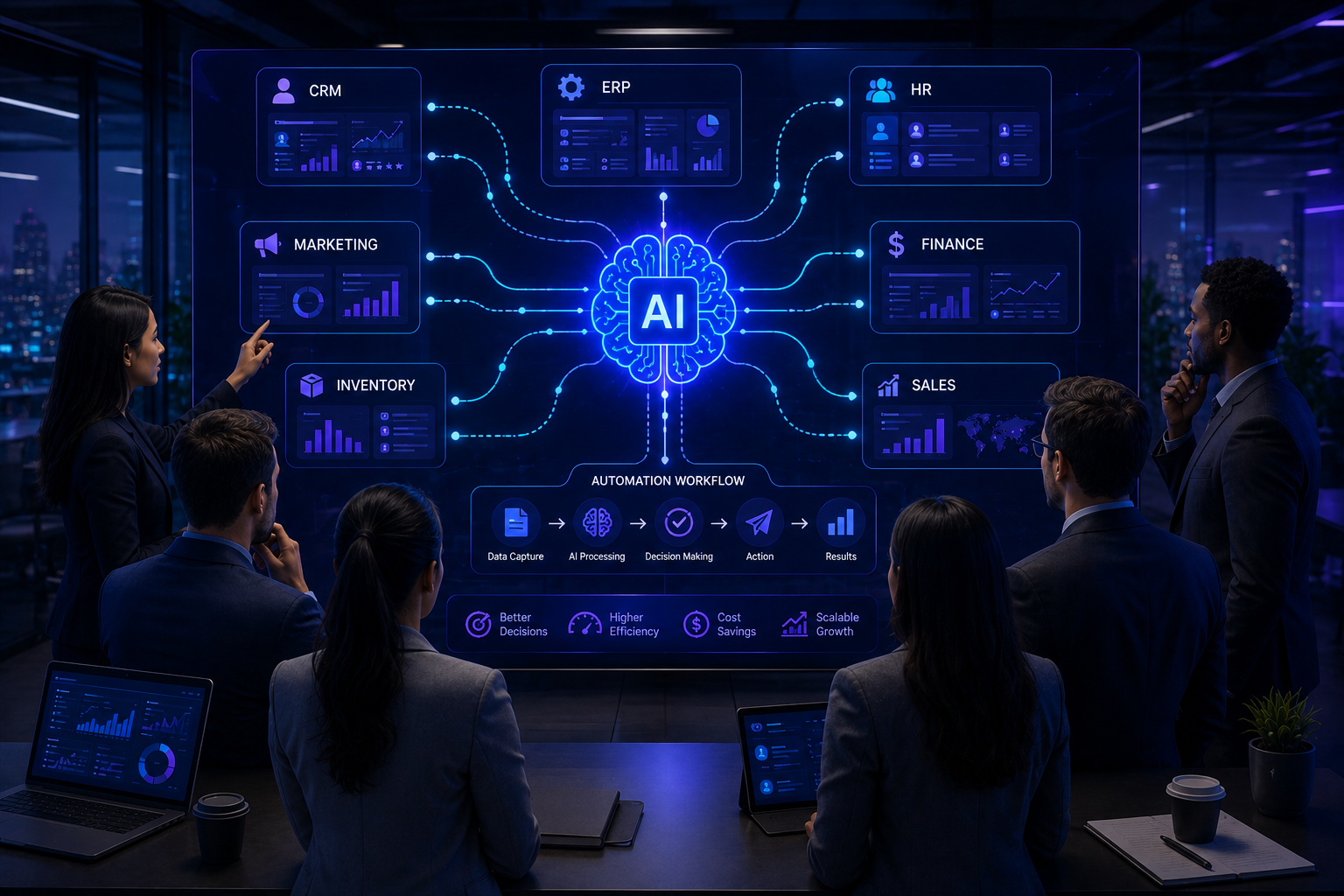
If your CRM, ERP, accounting software, inventory platform, and customer support tools don’t communicate effectively, AI has limited access to the data it needs.
That’s why many organisations choose to invest in custom web apps solutions that connect existing systems and create a single source of truth.
The Future of Business Automation
AI is evolving rapidly, but one thing is becoming increasingly clear.
The businesses that gain the greatest competitive advantage won’t necessarily be the ones using the most AI.
They’ll be the ones using AI in the smartest way.
Instead of replacing every manual process, they’ll identify the workflows that create the biggest operational challenges and apply AI where it delivers measurable business value.
That approach leads to:
- Faster decision-making
- Lower operating costs
- Better customer experiences
- Improved employee productivity
- More scalable business operations
AI isn’t a shortcut.
It’s an opportunity to build more efficient businesses.
Final Thoughts
Artificial Intelligence is no longer reserved for large enterprises with massive technology budgets.
Today, businesses of every size can use AI to automate repetitive work, improve customer experiences, streamline internal operations, and make better decisions.
The key is to start with the right business problem.
Rather than asking, “How can we use AI?”, ask:
“Which process is costing us the most time, money, or manual effort?”
Once you’ve identified that opportunity, AI becomes far easier to implement—and far easier to measure.
Whether you’re looking to automate customer support, improve reporting, optimise operations, or build intelligent business applications, the goal isn’t simply to work faster.
It’s to build a business that’s ready to grow without adding unnecessary complexity.
At BwLogics, we help organisations design and develop AI-powered solutions that solve real business challenges. From custom web applications and workflow automation to intelligent dashboards and AI integrations, our focus is on delivering technology that creates measurable business value.
If you’re exploring AI for your organisation, contact our team for a consultation and discover where automation can have the biggest impact on your business.
Frequently Asked Questions
1. What is AI business process automation?
AI business process automation uses artificial intelligence to automate repetitive tasks, analyse information, support decision-making, and improve operational efficiency across business workflows.
2. Which business processes should be automated first?
Customer support, sales, reporting, document processing, finance, HR, scheduling, and inventory management are typically the best starting points because they involve repetitive and time-consuming tasks.
3. Can small businesses benefit from AI automation?
Yes. AI is no longer limited to large enterprises. Small and medium-sized businesses can use AI to improve customer service, automate administrative work, and increase productivity without significantly increasing operating costs.
4. Will AI replace employees?
No. AI is most effective when it supports employees by automating repetitive tasks, allowing teams to focus on strategic work, creativity, and customer relationships.
5. What’s the difference between automation and AI?
Traditional automation follows predefined rules, while AI can analyse information, recognise patterns, make recommendations, and adapt to changing data.
6. How long does an AI implementation take?
The timeline depends on the complexity of the project. Smaller workflow automations may take a few weeks, while enterprise-wide AI solutions often require several months.
7. Do I need custom software for AI?
Not always. Some businesses can integrate AI into existing systems, while others benefit from custom software that connects multiple platforms and creates a unified workflow.
8. Which industries benefit most from AI?
Healthcare, construction, manufacturing, retail, logistics, finance, professional services, and ecommerce are among the industries seeing significant improvements from AI-powered automation.
9. How do I measure ROI from AI?
Track improvements in time saved, operational costs, customer satisfaction, employee productivity, error reduction, and revenue growth.
10. How do I get started with AI?
Start by identifying repetitive workflows or operational bottlenecks, then work with an experienced development partner to design a solution that aligns with your business goals.